Choosing the right video editing app in 2026 is harder than ever. Both CapCut and VN App have become essential tools for mobile creators, vloggers, and anyone who edits videos on the go. Every app claims to be “the best,” but the truth is, each one shines in a different way.
As someone who edits videos regularly for social platforms and long-form projects, I’ve spent months testing both apps side-by-side. This guide reflects my real experience, not copied information. If you’re trying to decide which video editor is right for your content in 2026, this breakdown will make your choice clear.
1. Introduction: Two Apps, Two Editing Styles

CapCut
CapCut is built for speed, creativity, and trend-focused editing. The moment you open the app, you’re greeted with templates, effects, and smart tools that instantly turn basic footage into social-ready content.
If your content lives on Instagram Reels, TikTok, YouTube Shorts, Moj, or you love viral-style editing, CapCut feels like home.
VN App (VlogNow)
VN, on the other hand, is designed for creators who enjoy a clean timeline, manual editing, and professional precision. It feels more like a handheld editing studio than a shortcut app.
If you make vlogs, travel videos, cinematic content, montages, or longer storytelling videos, VN gives you more room to experiment.
2. User Experience & Learning Curve
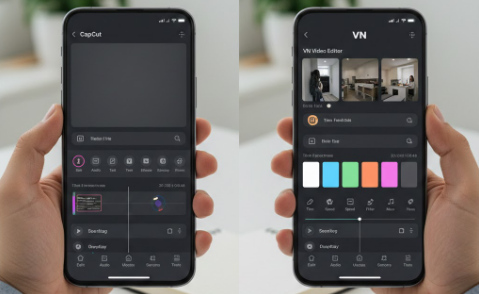
CapCut → Beginner-friendly and fast
Within minutes, even a complete beginner can produce a polished edit.
The app guides you with:
- Simple icons
- Drag-and-drop tools
- Auto templates
- One-tap transitions
- Instant color filters
You don’t even need editing knowledge—CapCut handles most of the complexity.
VN App → Clean, professional-feeling workflow
VN isn’t complicated, but it expects you to have some editing awareness.
You get:
- A desktop-style timeline
- Track-based editing
- Manual keyframes
- Individual control over each layer
- Clean interface without clutter
If you like building edits thoughtfully, VN is incredibly satisfying.
3. Editing Speed: Instant vs Detailed
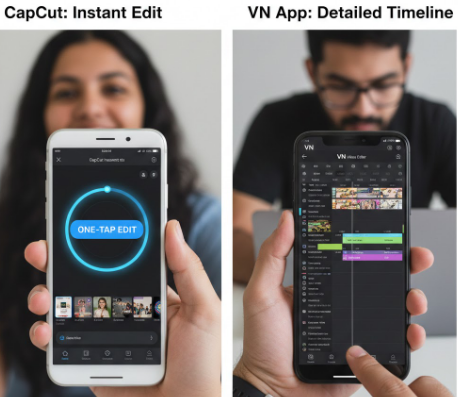
CapCut = Speed-focused editing
CapCut is unbeatable when you need a video ready quickly.
For example:
- Need a trending reel for a brand? CapCut.
- Need a birthday highlight in 10 minutes? CapCut.
- Want auto captions instantly? CapCut.
It’s fast because the app is built around templates and automation.
VN App = Time-consuming but rewarding
VN is slower, but the results often feel more cinematic and controlled.
For example:
- Travel vlog storytelling
- Slow-motion montages
- Aesthetic aesthetic reels
- Editing multiple layers of audio manually
VN is like cooking your own recipe from scratch, while CapCut is like using a quick pre-mix.
4. Tools & Features: Who Wins in 2026?

CapCut’s Strengths
CapCut now has some of the strongest mobile features in the world, including:
- Advanced AI background removal
- Auto beat sync
- Face enhancement
- AI Sound effects
- Instant captions
- AR effects
- Trend-based templates updated daily
- Social platform presets
- Stock music and clips
- Cloud editing (Pro version)
CapCut is unstoppable in the social media space because it keeps adding features that match viral trends.
VN App’s Strengths
VN doesn’t care about trends; it cares about editing precision.
You get:
- Full keyframe control
- Custom curve adjustments
- Multi-layer timeline
- Clean manual color grading
- LUT import
- Advanced transitions
- Organized project management
- Laptop and desktop versions for seamless workflow
VN is ideal if you take your editing seriously.
5. Templates & Effects
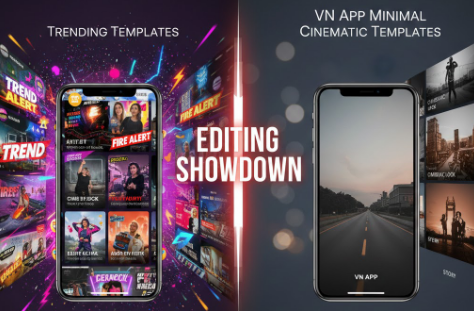
CapCut Wins for Templates
CapCut’s template library is massive and constantly updated. If you want:
- Viral transitions
- Velocity edits
- 3D zoom
- Cinematic reels
- Beat-sync reels
- Instagram trends
CapCut gives you exactly what the algorithm wants.
VN Wins for Minimal, Clean Aesthetics
VN has templates too, but they’re simpler—more aesthetic, less flashy.
It’s perfect for:
- Travel diaries
- Lifestyle content
- Minimal edits
- Aesthetic montages
6. Audio Editing
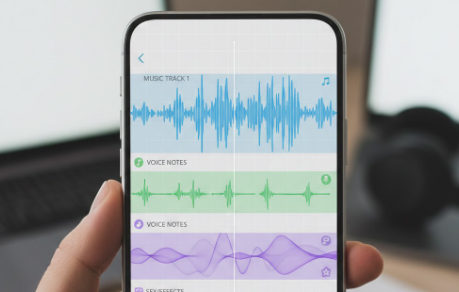
CapCut: Quick but limited manual control
CapCut has:
- Built-in music library
- TikTok sound integration
- Smart beat detection
- Voice effects
- Text-to-speech
VN: Better for multi-layer audio
VN lets you:
- Add multiple music tracks
- Mix sounds manually
- Adjust keyframes for volume
- Sync background music perfectly
For sound design, VN feels richer.
7. Performance & Stability in 2026
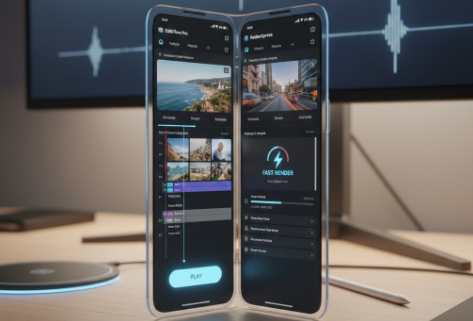
CapCut
CapCut is heavier.
If you use:
- Many effects
- Multiple templates
- 4K+ layers
It may lag on low-end devices.
VN App
VN is lighter and more stable because it doesn’t run heavy AI tools.
On low or mid-range devices, VN often performs better.
8. Export Quality
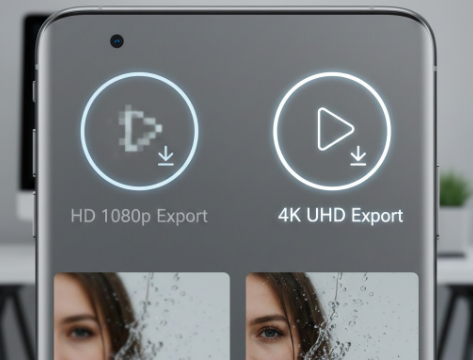
Both apps export up to 4K resolution.
But there’s a noticeable difference:
- CapCut videos sometimes look slightly compressed, especially if you use many filters.
- VN exports retain cleaner sharpness, ideal for cinematic shots.
If you care about raw quality, VN takes the lead.
9. Final Verdict: CapCut vs VN App in 2026

The best app depends on your editing personality.
Choose CapCut if you want:
✔ Quick edits
✔ Trending templates
✔ AI tools
✔ Social-media-ready videos
✔ Zero learning curve
CapCut is perfect for modern creators who want instant results.
Choose VN App if you want:
✔ Precision
✔ Professional timeline
✔ Clean aesthetics
✔ Multi-layer projects
✔ Better color grading
✔ Long-form or cinematic content
VN is ideal if you treat editing as a craft rather than a shortcut.
10. My Final Thoughts

If I had to use only one app for social media, I’d pick CapCut because the speed and AI tools save so much time.
But if I’m making a travel vlog or a cinematic reel for YouTube, VN App always gives me better control and cleaner results.
In short:
CapCut helps you go viral. VN App helps you look professional.
Both are winners—but in different ways.
⭐ FAQ: CapCut vs VN App (2026)

1. Which app is better for beginners, CapCut or VN?
If you’re new to editing, CapCut is easier because it uses templates, auto tools, and simple controls. VN is still beginner-friendly, but it feels more professional and requires a bit more learning.
2. Is VN App good for making Instagram Reels or TikToks?
Yes, VN can be used for Reels and TikToks, but it’s better suited for aesthetic, clean, and cinematic edits. If you want trendy, fast-paced edits, CapCut fits those platforms better.
3. Which app has more templates and effects?
CapCut wins here. It updates templates almost daily, especially the ones that match trending audio and viral styles. VN has templates too, but they’re minimal and not trend-focused.
4. Does CapCut reduce video quality when exporting?
CapCut exports in high quality (up to 4K), but sometimes the final video may look slightly compressed if you use many filters or effects. VN usually maintains clearer, sharper output.
5. Can I use VN App for professional editing?
Absolutely. VN has a clean timeline, detailed keyframes, better audio control, and manual color grading. Many vloggers and mobile filmmakers use VN for professional-quality edits.
6. Which app is better for long videos?
VN App is better for long-form videos because it has a more organized timeline and better layer control. CapCut is great for short videos but can feel crowded for long projects.
7. Which app performs better on low-end devices?
VN generally performs smoother on low or mid-range phones because it doesn’t rely heavily on AI effects. CapCut can lag when projects have many templates or advanced effects.
8. Is CapCut safe to use for content creation?
Yes, CapCut is safe. Millions of creators use it daily. However, avoid syncing every project to the cloud if you want more privacy and local control of your files.
9. Can VN App remove video backgrounds like CapCut?
VN has basic masking tools, but CapCut’s AI background remover is far more accurate and faster, especially for portrait footage.
10. Which app should I choose for travel vlogs?
For travel vlogs, VN App is the better choice. It allows smoother storytelling, cleaner transitions, and more natural color grading.