
Learning video editing is exciting, but it can also be overwhelming. Many beginners pour hours into editing, only to feel frustrated when the final video doesn’t look as good as they imagined. The good news? Most mistakes are simple to fix once you know what to watch out for. Let’s dive into the 10 most common video editing mistakes and how to avoid them—so you can enjoy the process, not dread it.
1. Overloading Effects and Transitions
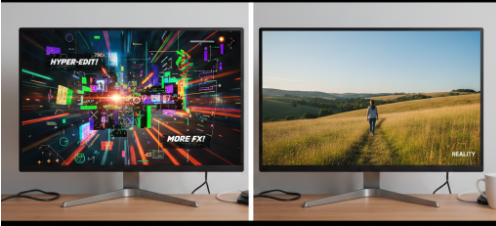
It’s tempting to throw every effect into your video. But too many flashy transitions can make your content confusing. It’s easy to get excited when you see flashy transitions and effects in popular videos. Many beginners think adding every available effect will instantly make their videos “cool.” But in reality, overloading effects often distracts the viewer from your main story. Instead of feeling impressed, they might feel dizzy or confused.
Insight: Your hard work may feel wasted if viewers are distracted or overwhelmed.
Fix:
- Use effects sparingly.
- Stick to simple cuts, fades, or subtle zooms that enhance the story.
2. Ignoring Audio Quality
Even stunning visuals can fail if audio is poor. Background noise, low volume, or unbalanced music can ruin the viewer experience. Good visuals alone can’t save a video if the audio is poor. Background noise, uneven volume, or muffled dialogue can frustrate viewers and make your content hard to follow. Beginners often underestimate the power of audio because it’s invisible—until it’s bad.
Insight: Bad audio makes your video frustrating to watch—and your efforts may go unnoticed.
Fix:
- Use clear voiceovers and quality music.
- Balance volumes and remove unwanted noise.
3. Long, Unfocused Videos
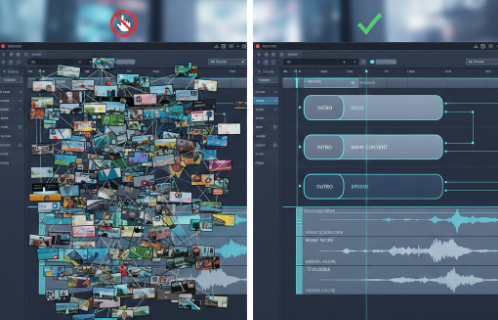
Beginners often think that longer videos show more effort, so they include every clip they’ve filmed. However, long videos without a clear structure can quickly lose viewers’ attention. People today prefer concise content that gets to the point.
Insight: Seeing viewers leave early can feel disappointing.
Fix:
- Trim unnecessary clips.
- Keep your story concise and engaging.
4. Poor Color and Lighting

Even if your footage is great, inconsistent lighting or dull colors can make your video feel amateurish. Beginners often don’t realize how much mood is affected by lighting and color. A dark clip can feel gloomy, while an overly bright scene can hurt viewers’ eyes.
Insight: Your creative vision may not shine if visuals are off.
Fix:
- Adjust brightness, contrast, and saturation.
- Use color grading to set the mood and maintain consistency.
5. Skipping Captions and Text
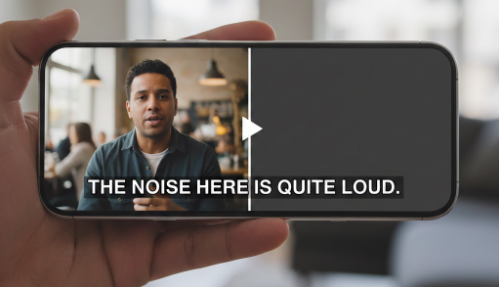
Captions are often overlooked by beginners who think visuals speak for themselves. However, most social media viewers watch videos without sound, so your message might get lost. Captions also guide viewers through key points, making your content easier to follow.
How to fix it:
Add short, readable captions that highlight important messages. Avoid cluttering the screen with too much text. Well-placed captions make your videos more accessible, engaging, and shareable, while showing viewers that you care about their experience.
Insight: Important messages may get lost, leaving viewers confused.
6. Rushing the Editing Process
Editing is a creative process, and rushing it often leads to mistakes like awkward cuts, timing errors, or inconsistencies in style. Beginners sometimes feel pressured to finish quickly, but this can reduce the overall quality of your video.
How to fix it:
Take your time. Break the editing into manageable sessions, review your work between breaks, and focus on refining details. Patience allows you to notice small errors that make a huge difference, turning a good video into a great one.
Insight: Rushed work can make you feel frustrated and unsatisfied.
7. Ignoring Story Flow
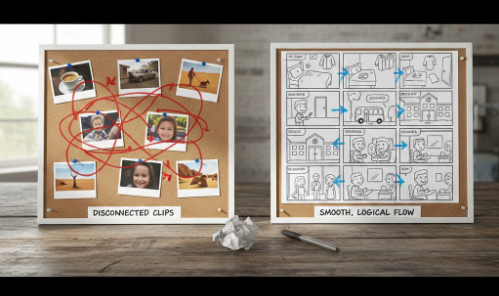
Even technically perfect edits fail if the story doesn’t flow naturally. Jumping from one clip to another without considering pacing or sequence can confuse viewers and reduce emotional impact.
How to fix it:
Plan your story before editing. Decide the beginning, middle, and end of your video. Each clip should have a purpose and contribute to the overall message. When your video flows logically, viewers stay engaged and connect emotionally with your content.
Insight: Viewers may feel lost or disconnected.
8. Using the Wrong Aspect Ratio
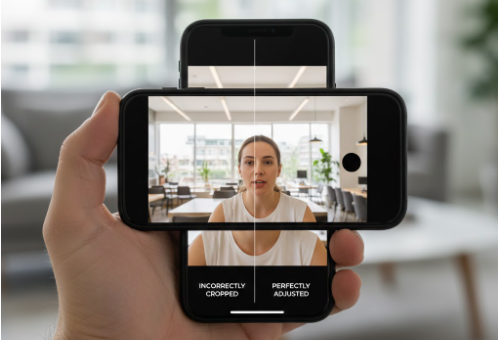
Uploading videos in the wrong aspect ratio can crop out important parts of your footage or display awkward black bars. This mistake is common among beginners who aren’t familiar with platform requirements.
Insight: Your hard work may not display correctly, leaving you frustrated.
Fix:
- Check platform requirements (YouTube, Instagram, TikTok).
- Adjust canvas size and framing accordingly.
9. Forgetting Background Music Emotion
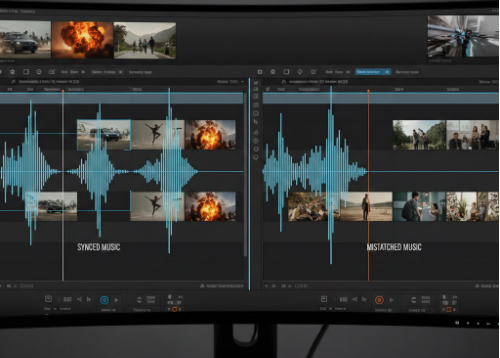
Music sets the tone and mood of your video. Beginners often choose random tracks or ignore audio emotion, which can make exciting visuals feel flat or boring. Music connects emotionally with viewers and enhances the storytelling.
Insight: A dull soundtrack can make exciting visuals feel lifeless.
Fix:
- Choose music that complements your video’s mood.
- Adjust volume levels to keep dialogue clear.
10. Not Reviewing the Final Video
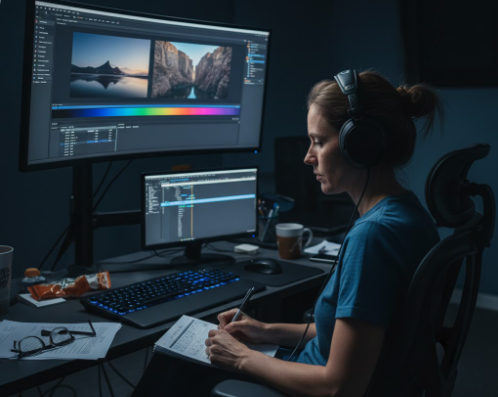
Even experienced editors make small mistakes, and beginners are no exception. Skipping a thorough review can leave typos, awkward cuts, or audio glitches unnoticed, which may disappoint you and your viewers.
How to fix it:
Watch your video from start to finish before publishing. Look for inconsistencies, timing issues, or anything that feels off. If possible, get a second opinion from a friend or family member. A careful review ensures your video leaves the best impression possible.
Insight: Missing errors can make you feel disappointed after publishing.
Final Thoughts: Editing Is About Connection, Not Perfection
Mistakes are normal—they’re part of learning. What really matters is connecting with your viewers. By avoiding these 10 common pitfalls, your videos will feel professional, emotional, and engaging.
Remember: every clip, every effect, every sound matters because it’s part of the story you want to share. Edit with care, and your audience will feel it.
nice